About Wawp Log
The log allows you to know more details about the messages sent from your site and their read status.
WhatsApp Messages History
Track all messages and quickly access info via live search, filters, and logs. Also see status for any errors. 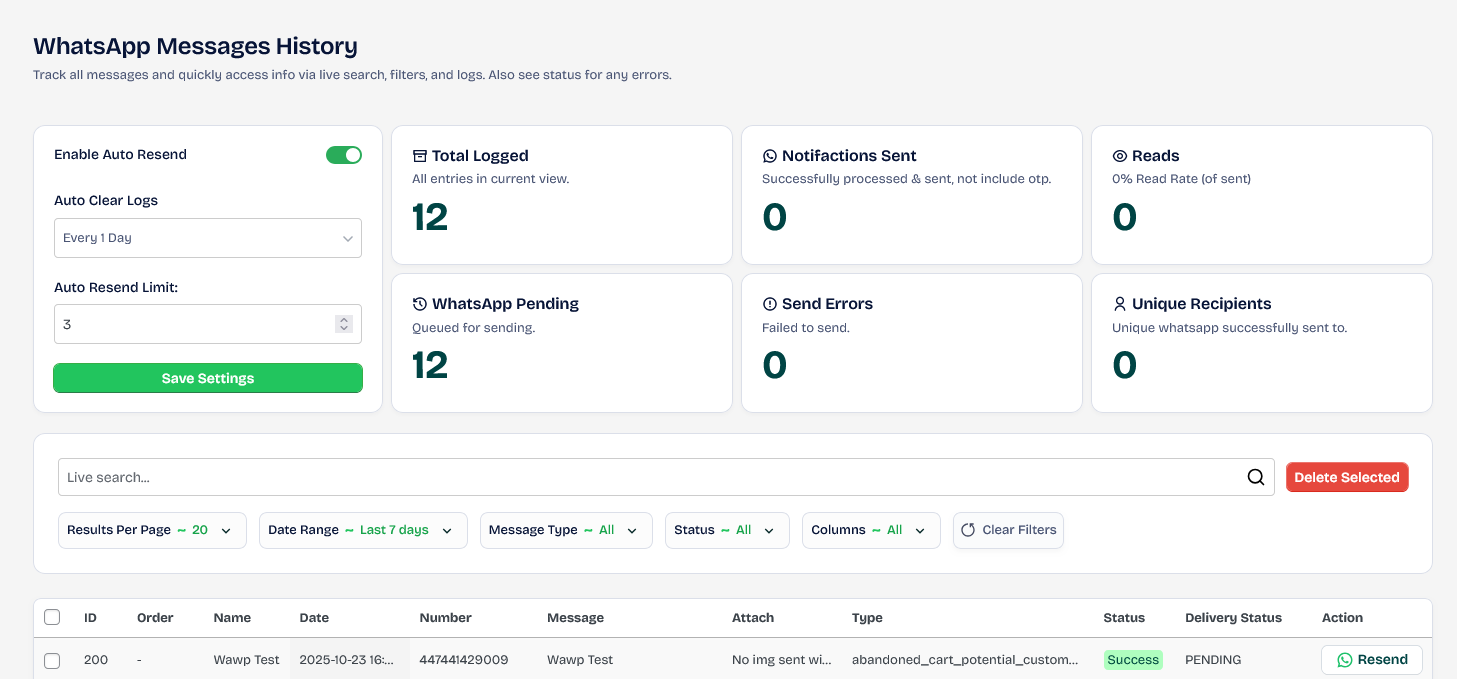
This feature enables you to resend messages that failed to be sent from your site. 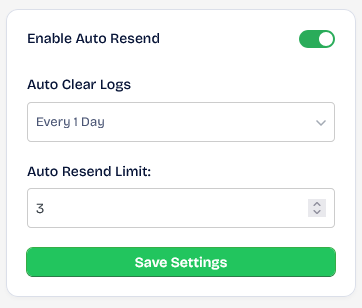
Total message sending
This section includes information on the number of messages sent, read rate, unique messages, and more. 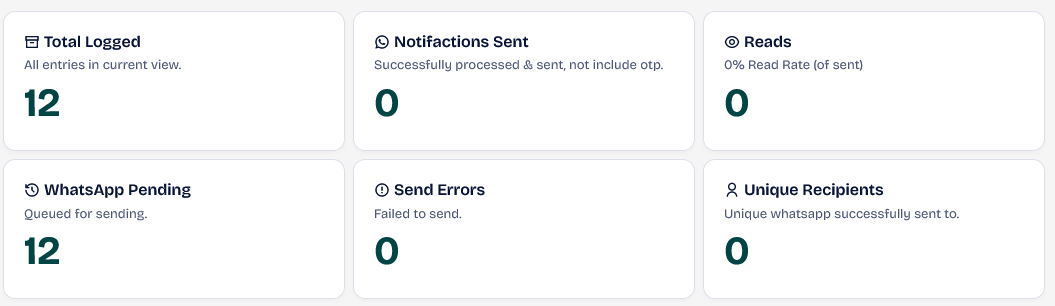
Live search engine and filters
You can search live to view results instantly or customize filters to view specific messages according to your preferences. 
WhatsApp Web Message History Spreadsheet
The data includes detailed information about each message sent.  The following information is included:
| Screen | Name | Description |
|---|---|---|
 |
ID | This field retrieves the row number from the database for this record. |
 |
User ID | User ID in WordPress according to his account |
 |
Order | The order number associated with this record. Note that if the message is not for an order, no information will be recorded in this section. |
 |
Name | Display name of user first and last according to his account |
 |
Date | Date and time this message was sent |
 |
Number | User Whatsapp number Make sure it starts with the country code so that the message is sent correctly. |
 |
Message | Text of the message that was sent |
 |
Attach | Attachments such as images if any |
 |
Type | Message source such as OTP login, order notification, mass campaign, etc. |
 |
Status | The status of sending the message from your site, such as successful, failed, unknown, and when you click on it, the API response will appear when this message is executed. |
 |
Delivery Status | The status of receiving the transmission on the user’s phone, such as waiting, sent, read, etc. |
 |
Action | Resend button for any reason |
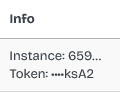 |
Info | Message information and the ID used to send it |
 |
Ref ID | Message ID if it is only resent via Action Resend |
Important information
- The number must start with the country code without 00 or + to ensure that it will be sent. If you find a sending error, the reason is most likely that the number does not comply with WhatsApp’s policy for sending to the country code. For example, the correct 447441429009 is not the error 07441429009.
- Delivery Status works based on two things: the first is the Cron, and the second is that the number specified for sending is the same as the Resend Log number, so that it can be checked. If the sending number differs from the Log number for the instance, this status will not be fetched.
- For Delivery Status to work, your phone must have the read status enabled on the WhatsApp application. If it is disabled, no status will be fetched.
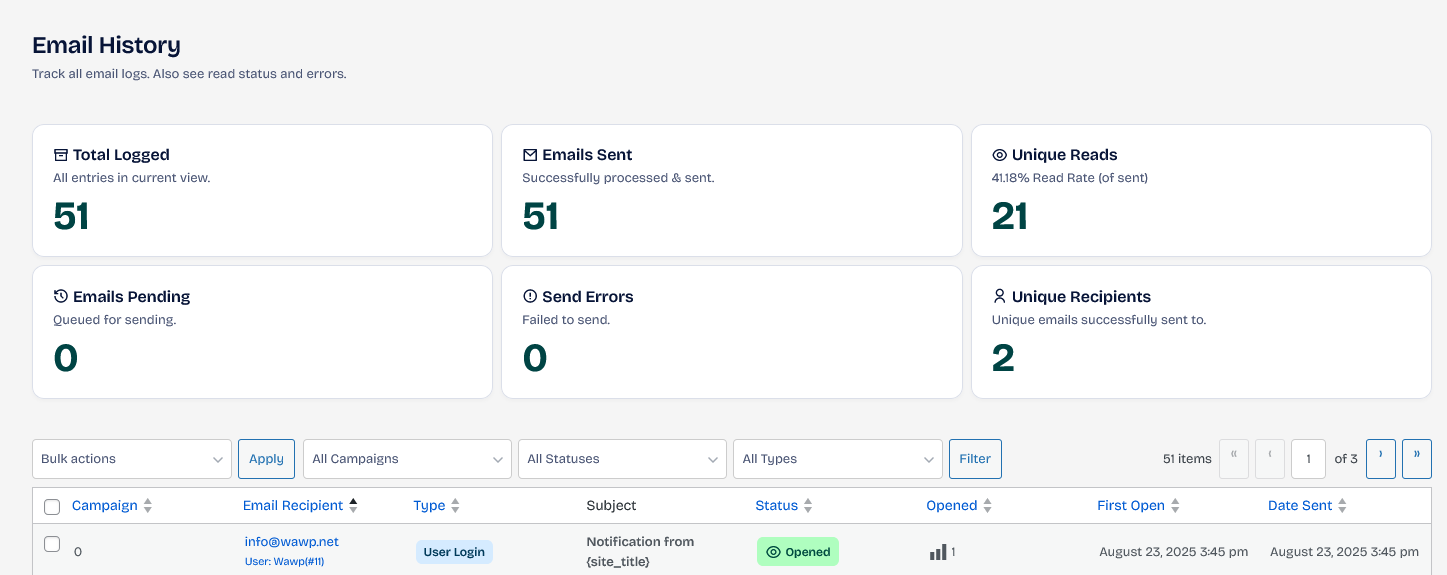
Email History
Track all email logs. Also see read status and errors. You can find details about each message that was sent and the status of the message such as sent, opened, etc.
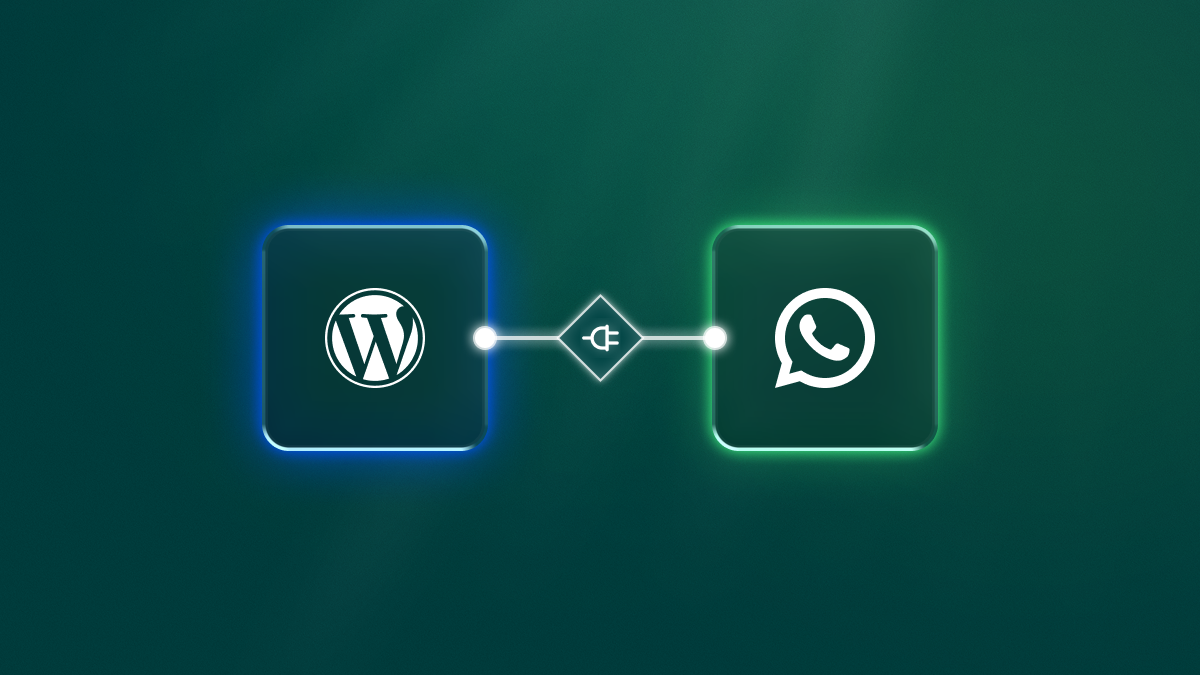
Meta WhatsApp Messages History
Track all messages sent via Meta API and quickly access info via live search, filters, and logs. You can find details about each message that was sent and the status of the message such as sent, opened, etc.