About Wawp System Status
This area helps you understand the problems related to the operation of the plugin on your site and solve them.
Basic information
This area helps Wawp’s diagnostics and support tools understand some information about your site to better assist you. If it is green, it means that your site is working normally. If it is red, it means that there is a problem that requires your intervention to solve it.
WordPress Environment
This area teaches you the basic status of your WordPress site. 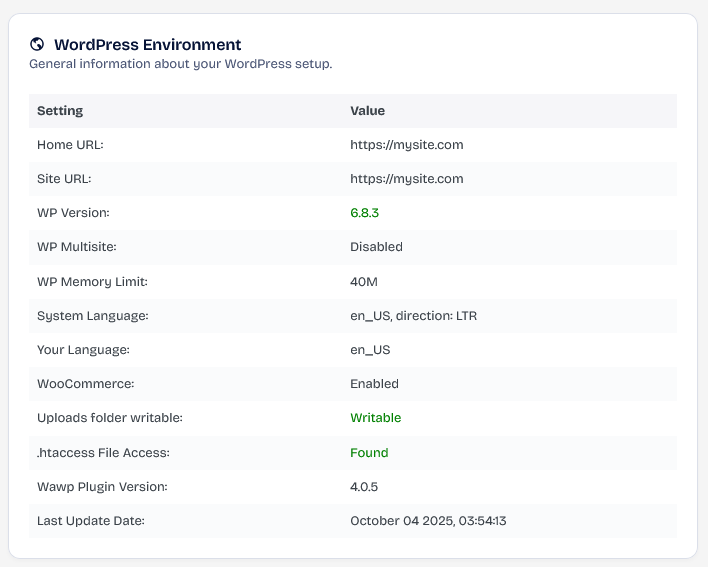
Server Environment
Server environment information Next to each piece of information is the minimum for Wawp to work properly. If it is in red, check with your hosting provider. 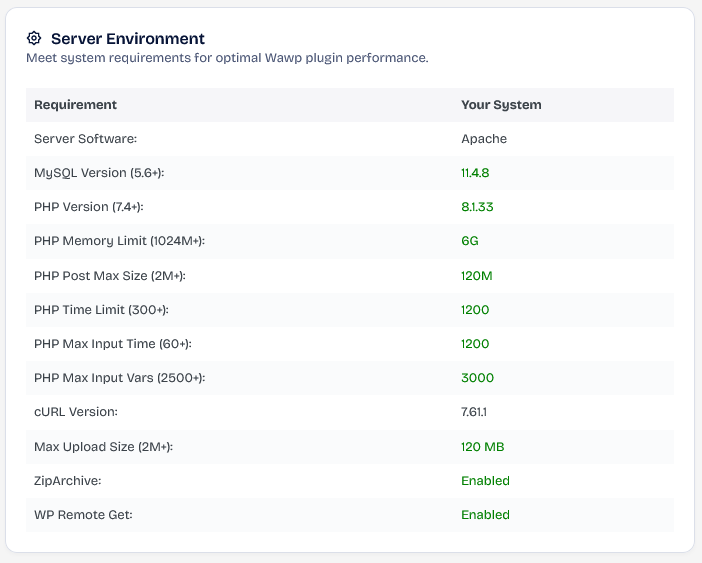
Technical information
This is information for running the Wawp Plugin
Wawp System Health Checks
This area checks if there is at least one WhatsApp ID connected and that it is assigned to the services you use on your site. 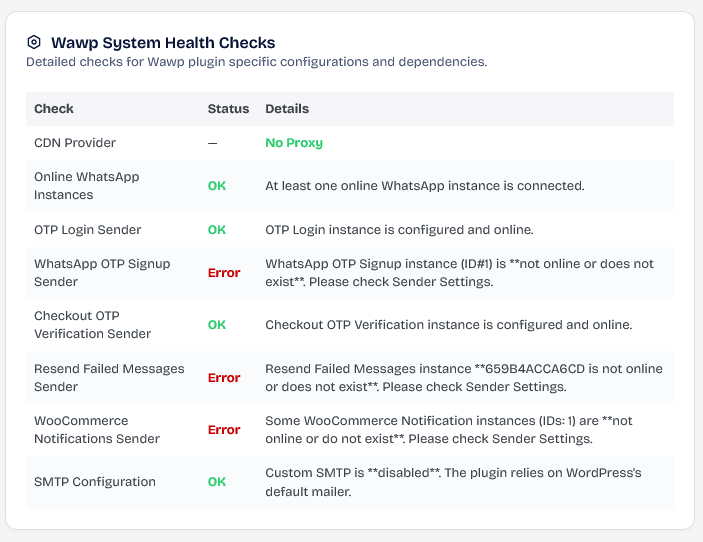
WP-Cron Status
checks if all the jobs you need are active and running normally. 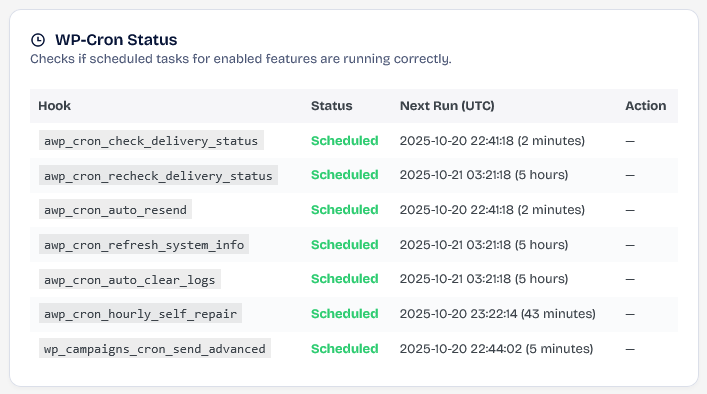
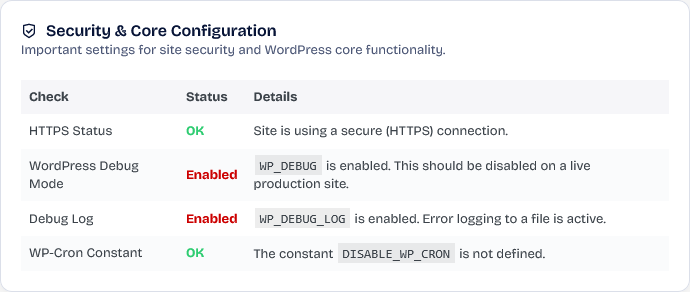
Security & Core Configuration
Important settings for site security and WordPress core functionality.
If anything in this area is red, some Wawp functions may not work as expected.