Keep track of what's happening regularly and what's new within your account area to manage your numbers more simply, quickly, and easily.
Release date
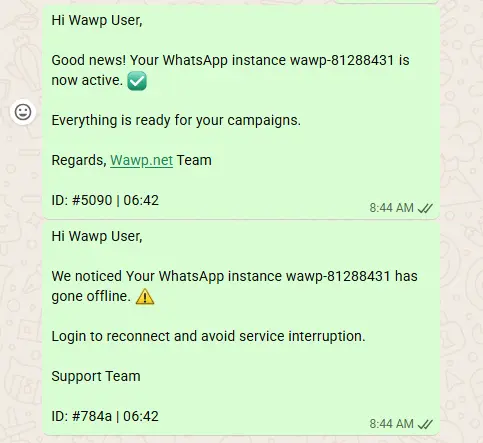
🎉New: You will now receive notifications about your WhatsApp number when it is linked and when the number goes offline.
make sure you have verified number on your account and you able to login by OTP
Instance Status Notifications The notification center showing updates when a WhatsApp number is linked or goes offline.
Keywords: whatsapp notifications, instance status, account alerts Release date
🎉New: The Instance lock and instance unlock buttons have been added, You can activate them to ensure that the instance is not deleted if it fails.
Your Linked WhatsApp Numbers: https://app.wawp.net/linked-numbers
Instance Security Controls The new lock and unlock buttons to protect instances from accidental deletion upon failure.
Keywords: instance lock, security controls, account protection Locked Status View How a locked instance appears in the dashboard, indicating it is protected from deletion.
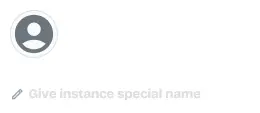
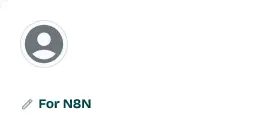
Keywords: locked instance, visual indicator, dashboard UI 🎉New: You can now add a subname to the instance to organize your numbers and see which website or service this instance belongs to, for example, For N8N Integration
Control Instance: https://app.wawp.net/linked-numbers
Instance Subnaming The input field for adding custom subnames to organize WhatsApp instances by website or service.
Keywords: instance organization, subnames, custom labels Organized Instance List A list of WhatsApp instances clearly organized using custom subnames for better management.
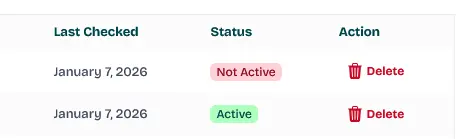
Keywords: organized dashboard, instance list, management efficiency 🎉New: The ability to delete websites from your account
Your Linked WordPress Sites: https://app.wawp.net/linked-numbers
Site Management Controls The interface for removing linked WordPress websites from your Wawp account area.
Keywords: delete site, site management, account cleanup