Automating your communication based on user actions can transform your workflow. With the Wawp and Google Forms integration, you can use our Google Runtime Script Generator to automatically send WhatsApp messages. This is made possible through Google triggers. In this guide, we’ll explain the two main Google triggers available for Wawp and how they work.
Available Google Triggers: How to Automate Messaging
Learn about the Google triggers available for Wawp. Automate WhatsApp messages when a Google Form is submitted or a new row is added to a Google Sheet.
3 min read·Updated May 12, 2026

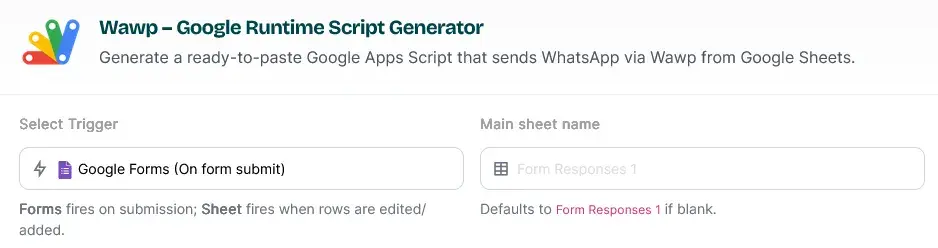
A visualization showing how different triggers in Google Apps Script map to WhatsApp message events.
Keywords: trigger mapping, automation logic, apps script triggersWhat Are Wawp’s Google Triggers?
A Google trigger is a powerful feature that allows a specific task to be executed automatically when a predetermined event occurs. When a trigger is linked to your Wawp workflow, it acts as an instant signal to send a WhatsApp message based on your chosen criteria. Wawp’s Google Runtime Script Generator supports two core triggers that automate your messaging from Google Sheets.
Available triggers
- When entering data into Google Form
- When adding a new row to Google Sheets
Trigger 1: When a Google Form is Submitted
This is the most common and straightforward trigger. It is designed for workflows where a user submits a form, and you want to send them an instant, automated response.
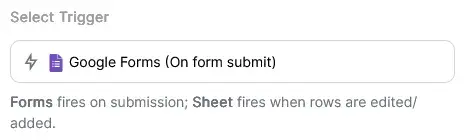
Selecting the 'On form submit' trigger to automatically fire WhatsApp notifications when a user completes a form.
Keywords: google forms trigger, form submission automation, instant whatsapp alert- How it works: The trigger instantly activates the moment a user completes your Google Form. This action automatically adds a new row of data to the linked Google Sheet, which is then used by the Wawp script to send the WhatsApp message.
- Best for: Sending registration confirmations, appointment reminders, or welcome messages to users who have just signed up or filled out your form.
Trigger 2: When a New Row is Added to a Google Sheet
This trigger is more flexible and powerful, especially for advanced use cases. It fires every time a new row of data is added to your Google Sheet, regardless of the source.
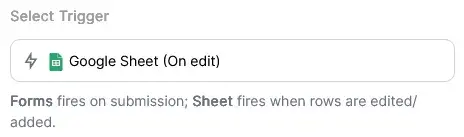
Configuring the automation to send a message whenever a new row of data is detected in the spreadsheet.
Keywords: google sheets trigger, new row automation, spreadsheet messaging- How it works: The trigger is activated whenever new data is added to your sheet. This is useful for automating messages from an external system, a new lead generated by an AI tool, or even when you manually add a new row yourself.
- Best for: Sending messages triggered by events from external systems, syncing data from other applications, or automating internal notifications.
The Benefits of Using Wawp’s Triggers
The Wawp integration simplifies your setup and provides powerful features.
- Fast Setup: The model reduces setup time from over two hours to less than five minutes. This lets you get your automation running instantly.
- Full Customization: You have complete control over your Google Forms and Google Sheets. You can customize them as you wish without any restrictions.
- Easy Monitoring: Our system provides detailed private logs on your sheet of all messages sent and their delivery status, so you can easily monitor your communication.
You will also be able to access a settings page to easily manage your information later.
These powerful triggers, combined with Wawp’s message automation, give you the ability to build sophisticated, event-driven workflows with minimal effort.
Ready to start? Follow our Google Notifications Setup Guide to generate your script, and then learn How to Execute the Google Apps Script to finalize your setup.
Previous
Wawp + Google Forms: No-Code/Low-Code WhatsApp Automation
NextSet Up Google Forms & Sheets Notifications with Wawp
Did this page help you?
97% found this article helpful (169 likes)
Related Articles
Wawp + Google Forms: No-Code/Low-Code WhatsApp Automation
Automate WhatsApp messages from Google Forms with Wawp. Our no-code/low-code guide helps you fire instant messages to users or admins on form submission.
Set Up Google Forms & Sheets Notifications with Wawp
Master customizing your automated WhatsApp notifications from Google Sheets. This step-by-step guide explains every setting, from triggers to delivery.
Automate Your Sheet: How to Execute the Wawp Google Script
Step-by-step guide on running the Wawp Google script to set up automatic triggers and essential Settings/Log sheets.
- Need help? Contact Support.
- Check out our Changelog.
- Join our Facebook Community.
- LLM? Read llms.txt.