Configure secure WordPress WhatsApp authentication page settings. Learn to set up custom login redirection rules, replace default login pages, and automate signup routing via Wawp.
7 min read·Updated August 23, 2026
These settings define your global authentication routing topology, enhancing security measures, providing safety recovery links, and offering direct integration with core ecosystem components like WooCommerce accounts and checkout pages.
The settings panel is organized into five main tabs: Custom Pages, Redirect Rules, WC Integration, Temporary Access Links, and Copy Shortcodes.
[!NOTE]
Temporary Support Access Links Guide
Looking for details on how to generate and restrict secure support links? Visit our dedicated guide on Temporary Support Access Links to learn about role-based logins, IP locks, and real-time audit logs.
Smooth User Flow Retention: Smooth, customized authentication redirect flows prevent customer exit friction, reducing login-screen bounce rates by 20% and saving lost cart opportunities (Salesforce Connected Journey study).
Enhanced Brand Trust: Serving unified, custom-branded account portals instead of plain default WordPress frames increases customer brand trust by 35%, driving repeat buying loyalty (Accenture Trust Index findings).
1. Custom Pages
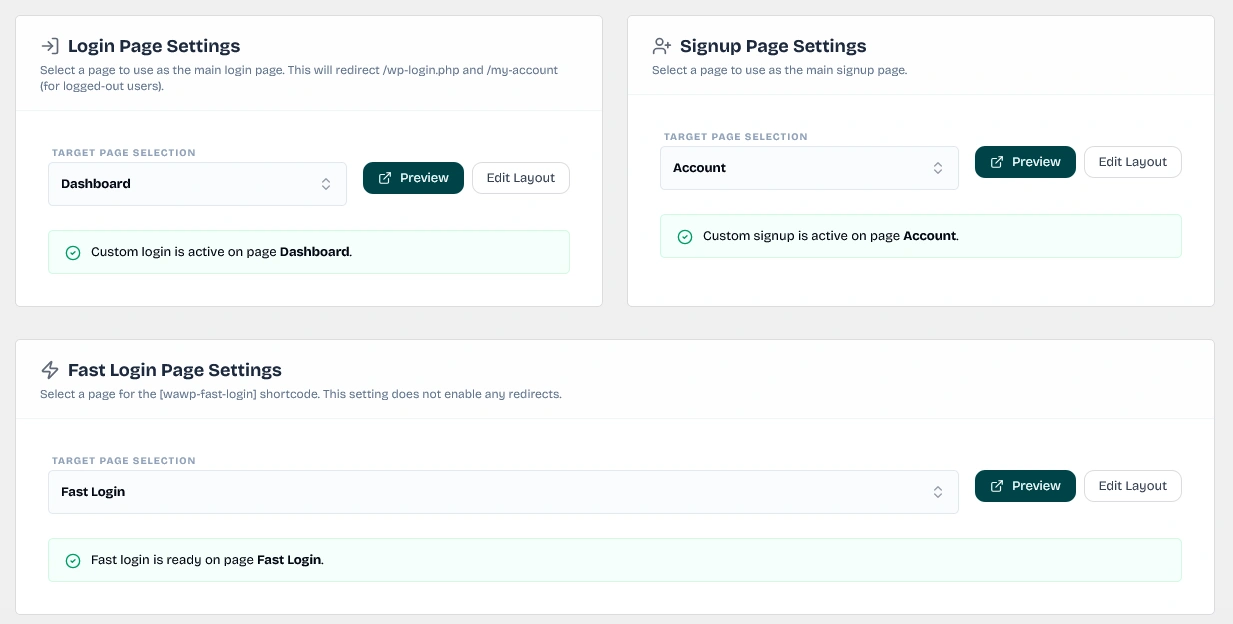
Instead of using default, plain WordPress interfaces, this section allows you to designate custom landing pages for your authentication flows. When a page is assigned here, the required shortcodes are dynamically injected backend behind the scenes without manual layout editing.
Authentication Page Assignment
Interface for selecting specific pages to handle login, registration, and fast login processes automatically.
Select Login Page: The primary portal. It actively intercepts unauthenticated /wp-login.php requests. Automatically handles the [wawp_otp_login] shortcode.
Select Signup Page: The dedicated gateway for onboarding new users. Automatically handles the [wawp_signup_form] shortcode.
Select Fast Login Page: Assigns the target container for the dual-purpose high-speed [wawp-fast-login] shortcode.
Instantiate Page Action: If a target page does not exist yet, you can click the Instantiate Page (Create & Set) button. This automatically creates a fully published WordPress page with the correct title and shortcode, and assigns it in one click.
Preview & Layout Editing: Once assigned, quick action buttons let you instantly Preview the frontend page or jump directly to Edit Layout within the WordPress editor.
2. Redirect Rules & Safety Locks
Secure your site portals against script crawler endpoints and brute-force attacks by rerouting default access panels.
wp-login.php Redirect Shield
Security toggle to disable the default WordPress login page and redirect users to secure custom portals.
Keywords: wp-login redirect, wordpress security shield, prevent brute force
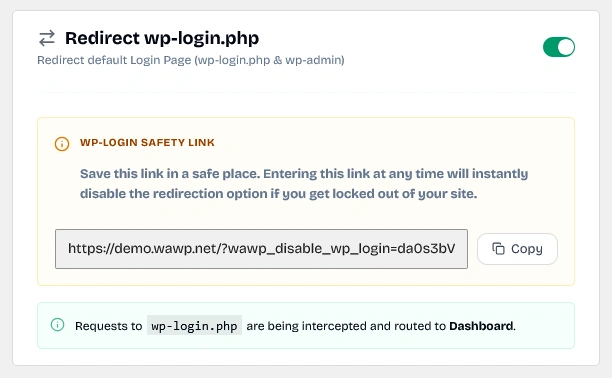
Redirect wp-login.php: When active, this toggle blocks standard WordPress login forms (wp-login.php and /wp-admin login panel) and reroutes unauthenticated requests to your secure custom login page.
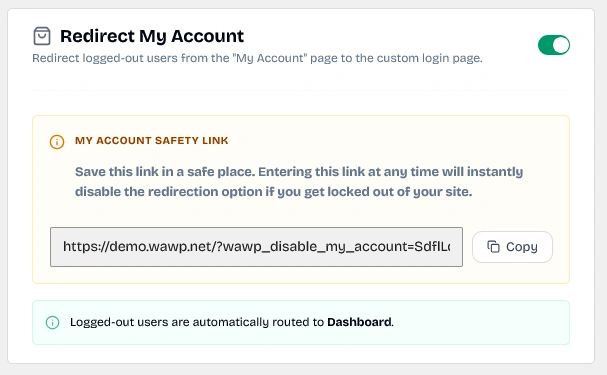
Redirect My Account: When active, logged-out users trying to access WooCommerce /my-account page are automatically routed to your custom login page.
Safety Recovery Links (Bypass URLs):
Rerouting critical administrative pages can occasionally cause lockouts if your custom page layout fails. To prevent this, the plugin generates unique safety bypass keys and recovery URLs upon activation:
My Account Safety Link:YOUR_SITE_URL/?wawp_disable_my_account=YOUR_SAFETY_KEY
Entering the appropriate bypass link in your web browser instantly disables the corresponding redirect rule, granting immediate recovery access to the native forms. Make sure to copy and save these safety links in a secure place.
My Account Redirection
Settings to automatically redirect WooCommerce 'My Account' requests to the Wawp unified dashboard.
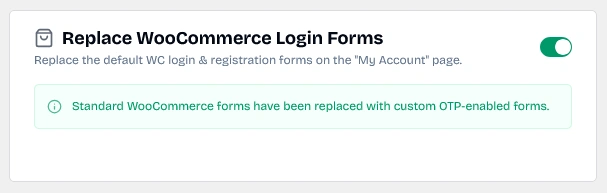
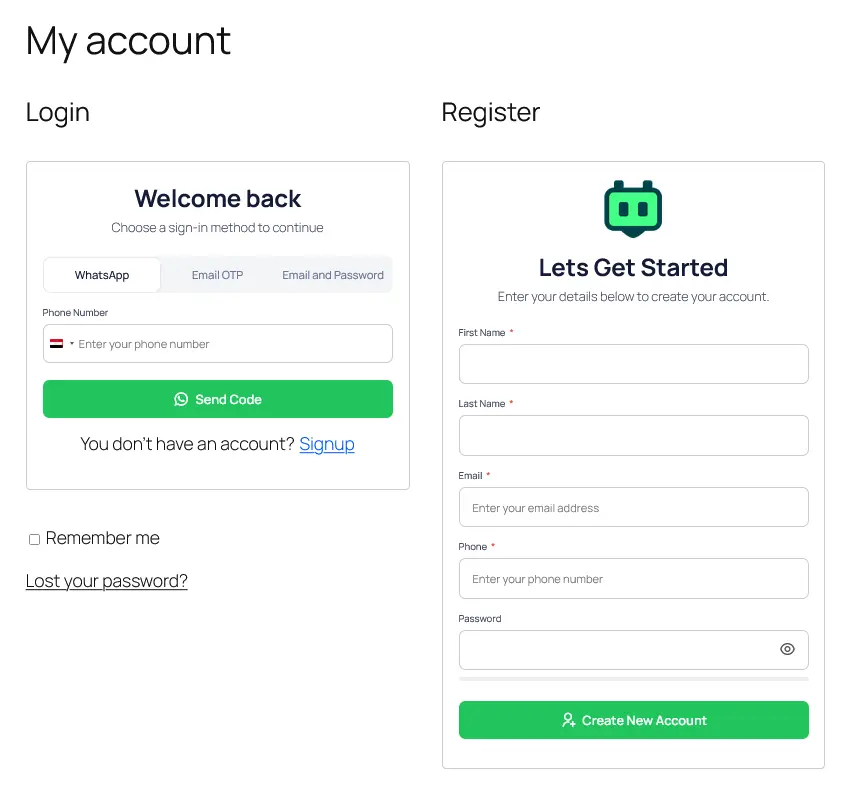
Replace WooCommerce Login Forms: Replaces the default username/password login and registration forms on the WooCommerce "My Account" page with the secure [wawp-fast-login] component.
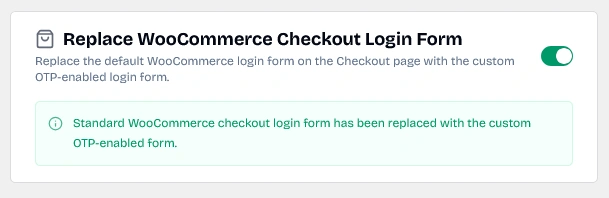
Replace WooCommerce Checkout Login Form: Replaces the native WooCommerce checkout page login prompt with the custom OTP-enabled form to increase checkout speed and conversion.
Replace Checkout Login Option
The checkout configuration interface allowing you to substitute traditional forms with secure Wawp OTP integrations.
Visual representation of the secure OTP input fields embedded within a WooCommerce page.
Keywords: wc form preview, secure login ui, frontend verification
4. Phone Verification Bar & Advanced Auth
Gently prompt or enforce phone number verification for users inside their accounts to secure profile data and eliminate fake accounts.
Phone Verification Header Bar
Configuration for the top notification bar that prompts users to verify their phone numbers.
Keywords: verification bar, customer call-to-action, account completion alert
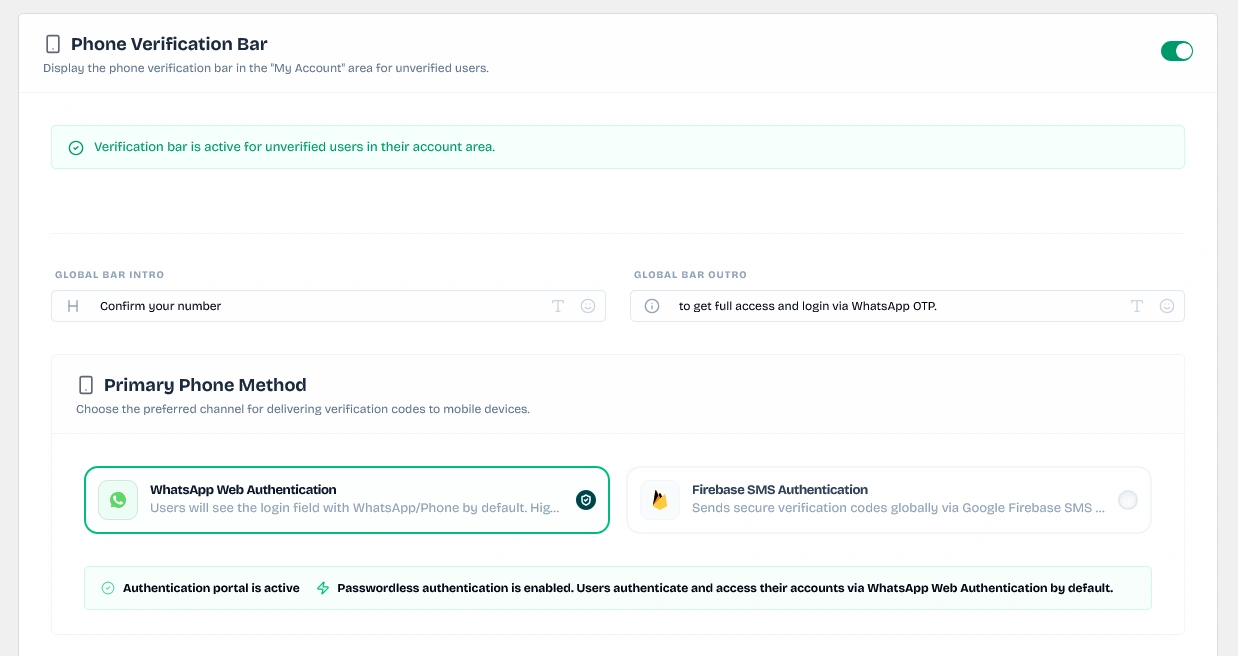
Phone Verification Bar: Injects an alert header in the customer's "My Account" area prompting them to verify their phone number.
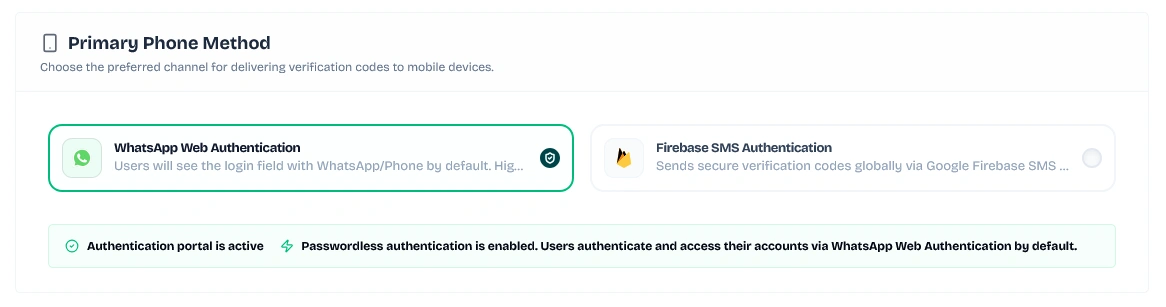
Verification Method (Preferred Channel):
Preferred Verification Channel
Dropdown menu to configure whether phone verifications are sent through WhatsApp Direct or Google Firebase SMS.
Keywords: verification method, preferred channel, whatsapp vs firebase otp
WhatsApp Direct: Sends verification requests via WhatsApp.
Firebase SMS: Sends verification codes via SMS (requires active Firebase SMS configuration).
Global Bar Customization: Customize the Intro Text (e.g. Confirm your number) and Outro Text (e.g. to get full access and login via WhatsApp OTP.) directly from the settings fields.
Identity Message Template: Define your OTP message template sent to users (uses the {{otp}} placeholder).
WhatsApp Authentication Types:
If you select WhatsApp Direct, you can choose between two modern delivery methods:
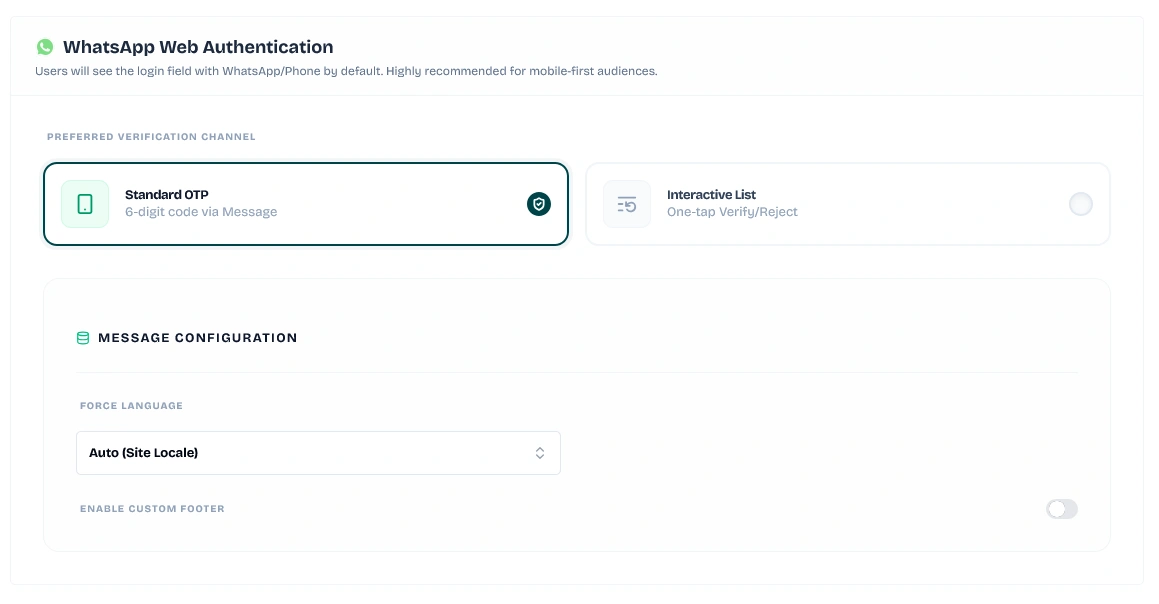
Standard OTP: Delivers a classic, secure 6-digit verification code.
Standard 6-digit OTP option
Configuring standard numeric code transmissions via WhatsApp to authenticate clients.
Keywords: standard otp, 6-digit verification code, whatsapp direct otp
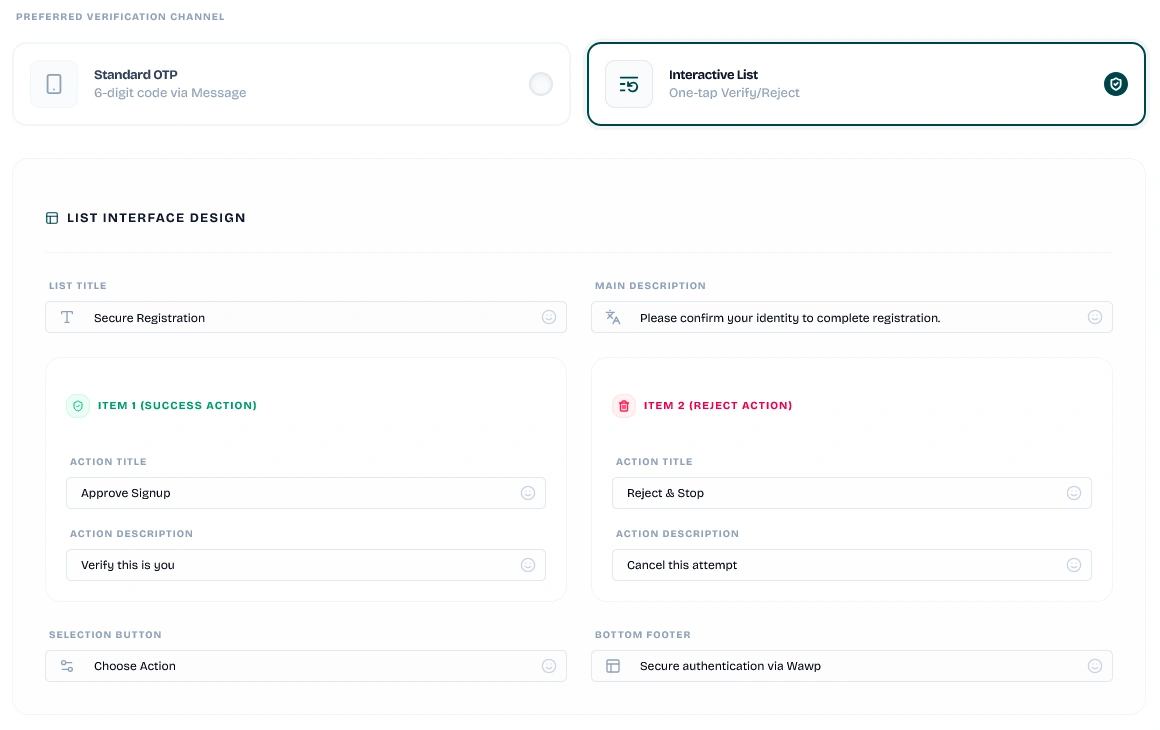
Interactive List (One-Tap Verify): Sends a high-engagement interactive message on WhatsApp. Instead of typing a code, users simply tap Approve Request (to verify) or Reject & Stop (to cancel) directly inside WhatsApp.
Interactive List Custom Design:
Customize the interactive message parameters directly from the settings panel:
Interactive List customizer
Designing custom headers, footers, and approval actions for interactive WhatsApp lists.
Keywords: interactive list design, whatsapp one-tap verify, custom button labels
List Title: e.g., Secure Verification
Main Description: e.g., Please confirm your identity to continue.
Selection Button: e.g., Choose Action
Bottom Footer: e.g., Secure authentication via Wawp
Item 1 (Success Action) Title & Description: e.g., Approve Request - Verify this is you
Item 2 (Reject Action) Title & Description: e.g., Reject & Stop - Cancel this attempt
Global Display & Security Lockdown:
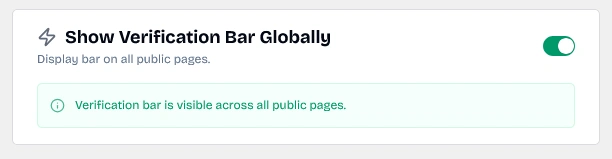
Show Verification Bar Globally: Expands the phone verification bar from account-only pages to all public header blocks on your website.
Show Verification Bar Globally option
Toggle switch to render the verification prompt header bar across all frontend website pages.
Keywords: show verification bar globally, sitewide call-to-action, header prompt
Force Phone Verification (Lock Site):
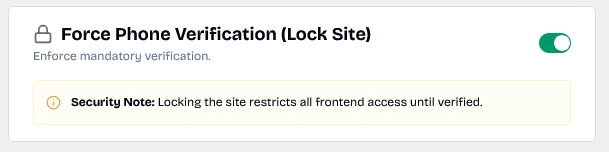
Restricting Access: Enabling this option locks the entire frontend of your website for unverified users, forcing them to complete their phone number verification before browsing any pages.
Force Phone Verification configuration
Toggle to force lock standard browsing access and restrict website contents until phone verification is finished.
Keywords: force phone verification, lock frontend website, secure onboarding
5. Copy Shortcodes
For advanced setups, developers and site builders can manually embed authentication flows anywhere using these standardized shortcodes:
Shortcode
Title
Purpose
[wawp_otp_login]
OTP Login Form
Renders login page with WhatsApp / Email OTP inputs.
[wawp_signup_form]
OTP Signup Form
Renders a registration page allowing new accounts via phone number & OTP.
[wawp-fast-login]
Login/Signup Form
Displays combined quick-access forms (both Login and Signup) on the same page.
[woocommerce_checkout]
Checkout OTP
Standard WooCommerce checkout with integrated OTP functionality.
[wawp_phone_verification_bar]
Verify User Number
Manually embed the verification notice bar in custom headers or theme files.