Configure dynamic triggered notification messages automatically driven by WooCommerce order state transitions, subscriptions, or WordPress account events.
11 min read·Updated August 23, 2026
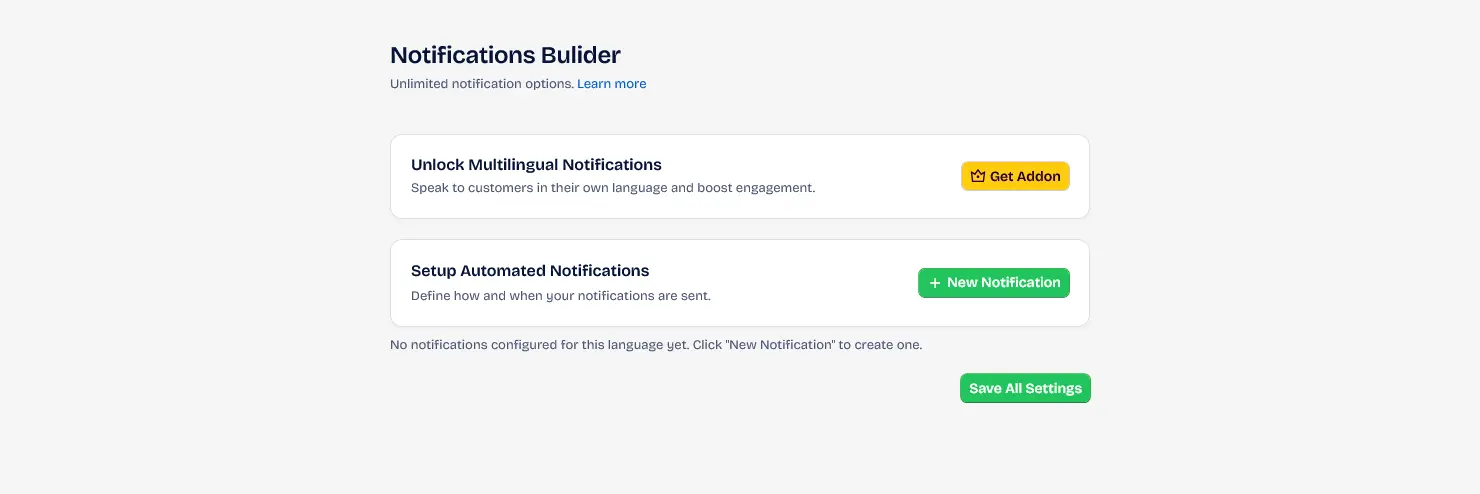
Notification messages are sent automatically based on the status of a WooCommerce order, WooCommerce subscriptions, or WordPress account events (such as user registration or login). They allow you to instantly connect with customers and administrative teams, ensuring that transaction updates and system triggers are communicated immediately.
Notification messages trigger automatically when a customer makes an order, when the WordPress administrator manually changes the order status from within the Wp-admin interface, or when standard membership events take place.
Unparalleled Engagement: WhatsApp Business messages achieve open rates of 95% to 98% — a well-established industry benchmark reported across the Meta Business Platform ecosystem — compared to just 21% for standard transactional email, with most messages read within 5 minutes of delivery.
Click-Through & Retention: High-performing WhatsApp notification campaigns consistently achieve click-through rates of 45% to 60% and reduce order-status support inquiries by up to 30%, significantly boosting long-term customer retention.
Automated Notifications Overview
Dashboard showing the list of active automated notifications and triggers in the Wawp plugin.
| Senders Icons | Visual indicators displaying which communication channels (WhatsApp Web, WhatsApp Meta, Email) are currently active for this notification. |
|
Trigger Info
Icons representing trigger information.
Keywords: icon
| Trigger Details | Summarizes the core execution context: the primary trigger event, configured latencies, and recipient routing. |
|
Activate Icon
Icons for activating notifications.
Keywords: icon
| Activation Toggle | Main toggle switch to quickly activate or deactivate the notification rule. Toggle left to pause the notification safely. |
|
Edit Icon
Icons for modifying notifications.
Keywords: icon
| Edit Payload | Opens the message content editor modal to manage, translate, and format the outgoing message templates. |
|
Copy Icon
Icons for copying notifications.
Keywords: icon
| Clone Notification | Instantly duplicates the notification card, copying all its rules, triggers, delays, and filters into a new rule. |
|
Delete Icon
Icons for deleting notifications.
Keywords: icon
| Delete Notification | Permanently deletes the notification rule from the system (requires double confirmation). |
Fine-Tuning Notification Logic
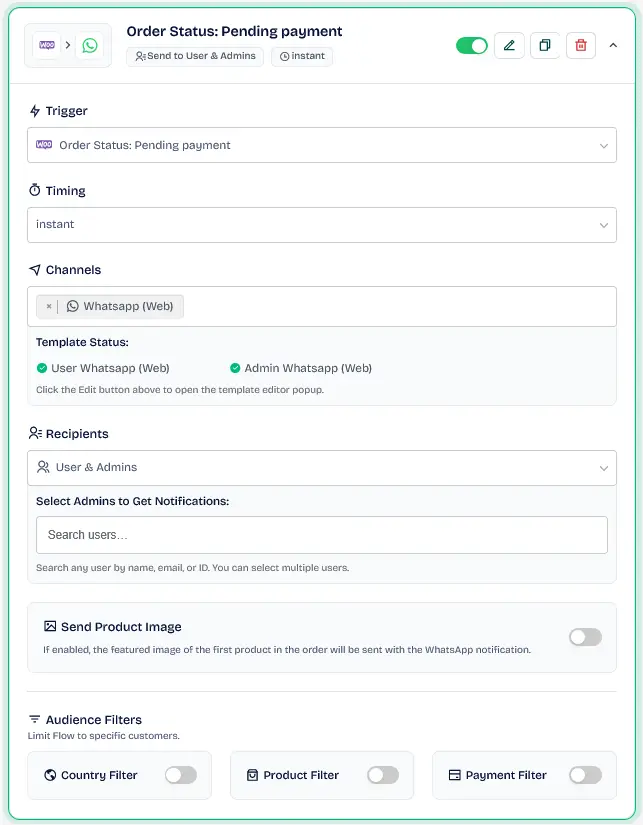
Configure individual settings within the body of a notification card to target specific users, set delays, and filter outgoing notifications.
1. Trigger Selection
Define the originating WordPress, WooCommerce, or WooCommerce Subscriptions event that fires the notification rule.
Notification Trigger Selection
Dropdown menu for choosing the specific WooCommerce or WordPress event that fires the notification.
Keywords: notification triggers, order status events, wordpress hooks
2. Timing & Delivery Delays
Set custom dispatch timing to control when messages are released:
Instant: Dispatches the message as soon as the trigger event is fired.
Delay: Schedules delivery after a specified time lag. Select a duration and choose between Minutes, Hours, or Days.
Notification Timing Settings
Settings to control when a notification is sent, allowing for immediate delivery or scheduled delays.
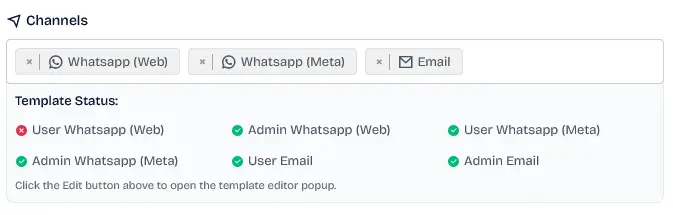
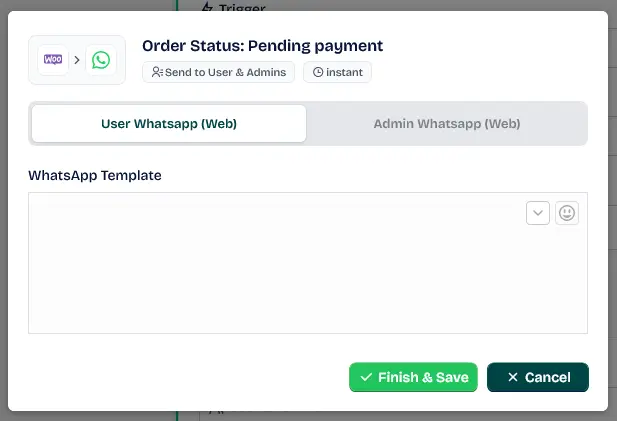
Choose the active delivery methods for your notification (WhatsApp Web, WhatsApp Meta API, Email). Ensure your messaging credentials are set up inside your main Sender Settings.
Communication Channels
Visual icons showing the active messaging channels (WhatsApp, Email) for a specific notification.
Keywords: messaging channels, communication status, active senders
Channel Indicators Key: A pulsing green circle indicates that the channel is active and configured with valid content. A solid red circle indicates that the channel is enabled but remains unconfigured (empty text), requiring content input.
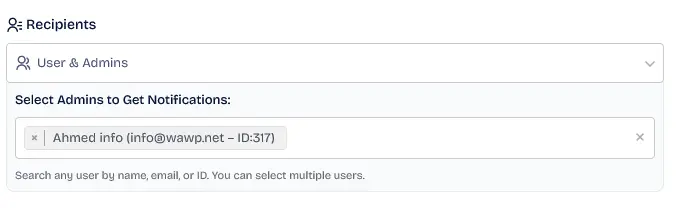
4. Recipient Targeting & Admin Carbon Copies (CC)
Define who receives the automated notification.
Recipient Role Targeting
Interface for selecting who receives the notification, such as the customer or specific user roles.
Keywords: target audience, notification recipients, user role filters
Customer: Route the notification dynamically to the buyer's phone number or email address registered during checkout or sign-up.
Admin CC Routing: Send duplicate monitoring carbon copies of the notification to your administrative team.
Dynamic Admin Selection: Use the interactive search field to search for administrators by name or email. Select multiple administrators to register their user IDs as a comma-separated distribution list.
Admin CC Selection
Dropdown for selecting administrators to receive a carbon copy of the automated notification.
Keywords: admin notifications, cc recipients, monitoring messages
Fast Assignment: Type the first few letters of an administrator's name or email to quickly select them from the dropdown list without scrolling.
5. Header Media Types & Attachments
Choose the outbound attachment mode to display as a header in your WhatsApp messages:
No Image: Text-only delivery without media files.
Featured Image: Automatically extracts and attaches the featured image of the triggered WordPress Post or Page context.
Custom Image (Custom Media URL): Paste a direct static link (https://example.com/promo.jpg) to any image hosted on the web to send it as an attachment.
Dynamic Product Image:(For WooCommerce and Abandoned Cart triggers) Automatically extracts the featured product image of the purchased or abandoned item from the order metadata and attaches it to the WhatsApp payload.
Product Image Attachment
Option to configure header media types and product image attachments inside the notification.
Keywords: whatsapp images, product media attachment, rich notifications
To attach images successfully, ensure your files are in standard web media formats (JPG, JPEG, or PNG).
Advanced Audience Filters
Wawp features conditional logic gates to restrict or target notifications based on WooCommerce metadata.
Only send if (Whitelist): Restricts execution ONLY to orders matching your conditions (e.g. only trigger for orders containing specific items).
DO NOT send if (Blacklist): Suppresses delivery immediately if a match is found (e.g. skip notifications for orders placed via Cash on Delivery).
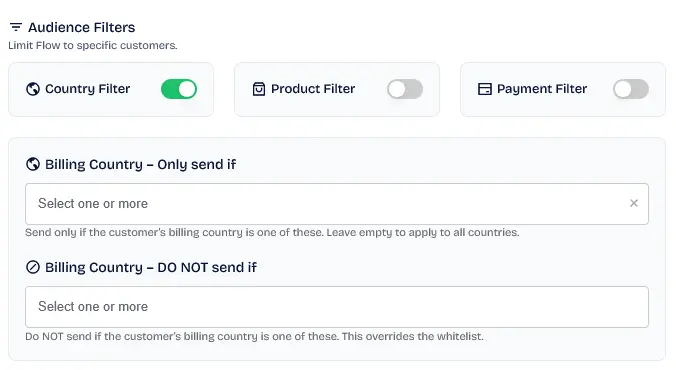
Country-Based Filtering
Filtering settings to restrict or allow notifications based on the customer's billing country.
Keywords: geo-filtering, country restrictions, targeted messaging
Note on E-commerce Filters: Whitelist and Blocklist conditions targeting Products, Categories, and Payment Methods are exclusive to WooCommerce Order Triggers and Wawp Abandoned Cart Triggers, while Country Filters are available globally.
Available Filter Options:
Country Filter: Filters notifications based on the customer's billing country (whitelist/blacklist based on country codes).
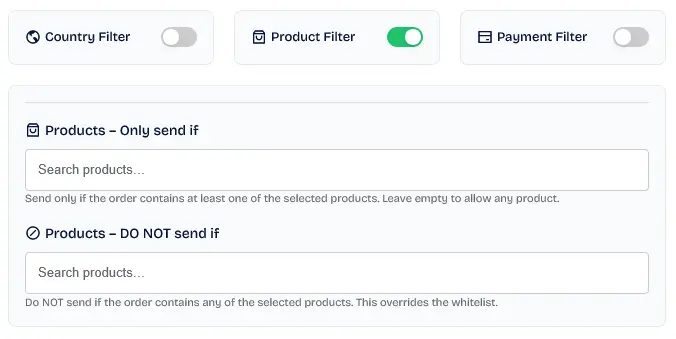
Product Filter: Targets notifications based on specific purchased items (whitelist/blacklist based on product IDs).
Product-Based Filtering
Settings to fire notifications only when specific products are included in the WooCommerce order.
Category Logic Filter: Restricts or triggers notifications based on whether the order contains products belonging to specific product categories (whitelist/blacklist based on category terms).
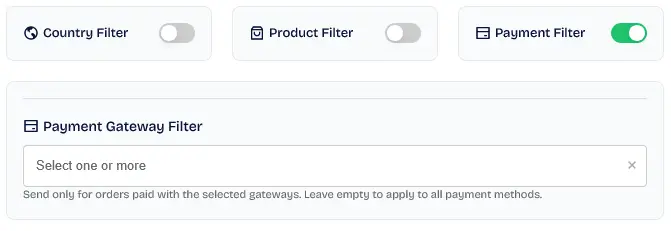
Payment Filter: Controls routing based on the payment gateway selected during checkout (e.g. Bank Transfer, Cash on Delivery, Stripe, PayPal).
Payment Gateway Filtering
Interface for targeting notifications based on the payment method used by the customer.
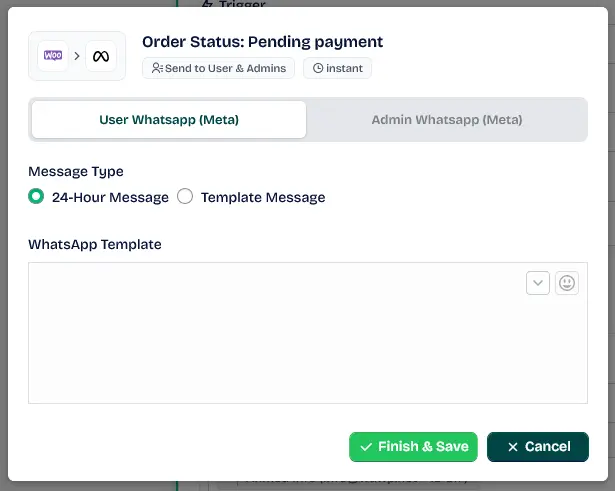
Allows you to map your notification rules to official, pre-approved Meta Cloud API templates. Select the template name, language code, and configure custom text variables.
WhatsApp Meta Template Editor
Interface for mapping automated notifications to official Meta Cloud API message templates.
Keywords: meta cloud api, whatsapp templates, official business messaging
3. Email (SMTP) Gutenberg Canvas
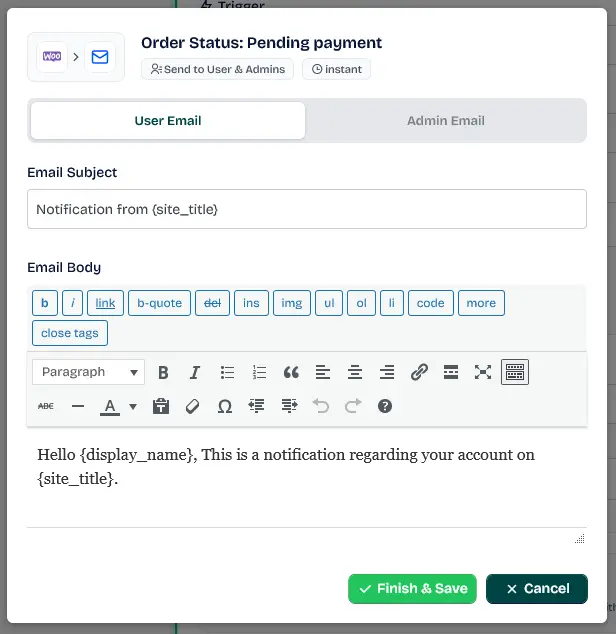
Features a visual rich-text HTML editor. You can also select pre-designed email templates using the Email Template selector to send polished, branded transaction emails.
Email Content Editor
Visual editor for designing and formatting automated email notifications for WooCommerce.
Keywords: email template editor, html emails, notification design
Syntax Transformation Examples
Type your raw message template using placeholders inside the message editor:
Raw Template in Editor:
Hello {{billing_first_name}},
Thank you for purchasing from {{shop_name}}.
Order Details:
Product: {{product_name}}
Total: {{order_total}}
Order Page: {{order_link}}
When triggered, the system parses the WooCommerce order database and replaces the placeholders with real-time customer data:
Parsed Message Delivered to Customer:
Hello Bella,
Thank you for purchasing from Ourstore.
Wawp monitors a wide range of website events to trigger your automated notifications:
WordPress Membership Triggers
User Login: Fires immediately when a user logs in.
User Sign-up: Fires immediately when a new user account is registered.
WooCommerce Order Status Triggers
Fires automatically whenever an order transitions to one of these states:
Pending Payment: New order placed, awaiting customer payment.
Failed: Order payment failed or declined.
Processing: Payment received; order is being fulfilled.
Completed: Order fulfilled and shipped.
On Hold: Stock reduced; admin verification needed.
Cancelled: Cancelled by admin or customer.
Refunded: Order refunded by admin.
Order Notes (wc_order_note): Fires automatically when an administrator adds a new note to the order details.
Custom Order Statuses: Wawp automatically detects and integrates any custom order statuses registered on your WooCommerce store.
WooCommerce Subscription Triggers
Provides native automation for subscription-based products:
Subscription Active: Fired when a subscription purchase or renewal is activated.
Subscription On-Hold: Fired when a subscription is paused due to unpaid renewals.
Subscription Cancelled: Fired when a customer or admin cancels a subscription.
Subscription Expired: Fired when a subscription reaches its end date.
Renewal Payment Failed: Fired when a subscription renewal payment attempt declines.
Renewal Payment Success: Fired when a subscription renewal payment is processed successfully.
Wawp Abandoned Cart Triggers
Integrates with the Wawp Abandoned Carts module to trigger recovery messages:
Abandoned Cart (abandoned_cart): Fires automatically when a shopping cart is left incomplete for more than 5 minutes.
Potential Customer (potential_customer): Fires when a visitor submits their phone number or email through the exit popup but has not added products to the cart yet.
Active Shopping (shopping): Fires when a visitor adds items to their cart and submits contact details, remaining active on your site without finalizing.
Step 7: Live Simulation (Try Before You Save)
Before saving and deploying your notification rule to production, Wawp allows you to run a live simulation to test your configurations and verify placeholders, templates, and delivery channels:
1
Access Step 7 (Test Configuration) Navigate to the final step of the notification editor wizard.
2
Select Test Recipient Choose an administrative team member or staff account from the dropdown list.
3
Fire Test Notification Click the "Fire Test Notification" button. Wawp will simulate a live trigger context (such as an active order or user signup) and send the customized WhatsApp and Email payloads directly to the selected team member.
4
Simulation Log Audit The interface displays a pulsing "Deploying Simulation..." status, followed by real-time success logs or detailed error reports, allowing you to perfect your message layouts before real users interact with them.