Optimizing automated notifications and maintaining high sender scores is crucial for global messaging operations. The Messaging Tools panel (located in your Wawp dashboard under Senders & Messaging) is a central hub hosting advanced utilities designed to protect your sender numbers from automated bans, blacklist unwanted recipients, audit transactional logs, and customize layout templates.
About Messaging Tools
Get an overview of Wawp's advanced Messaging Tools designed to optimize delivery rates, blacklist contacts, and log transactional events.
3 min read·Updated August 23, 2026

The Four Core Messaging Utilities
The Messaging Tools dashboard organizes Wawp's delivery and administrative features into four dedicated, toggle-controlled modules:
1. Block Manager (Access Control)
- Purpose: Restrict access and delivery to specific phone numbers or email addresses globally.
- How it Works: Outbound WhatsApp notifications, SMS OTP pings, or SMTP emails sent to contacts registered on this blacklist are intercepted and dropped before leaving your server, saving your API balances.
- Validation Features: Incorporates active phone input flags checks, real-time number formats validation, and user block indicators.
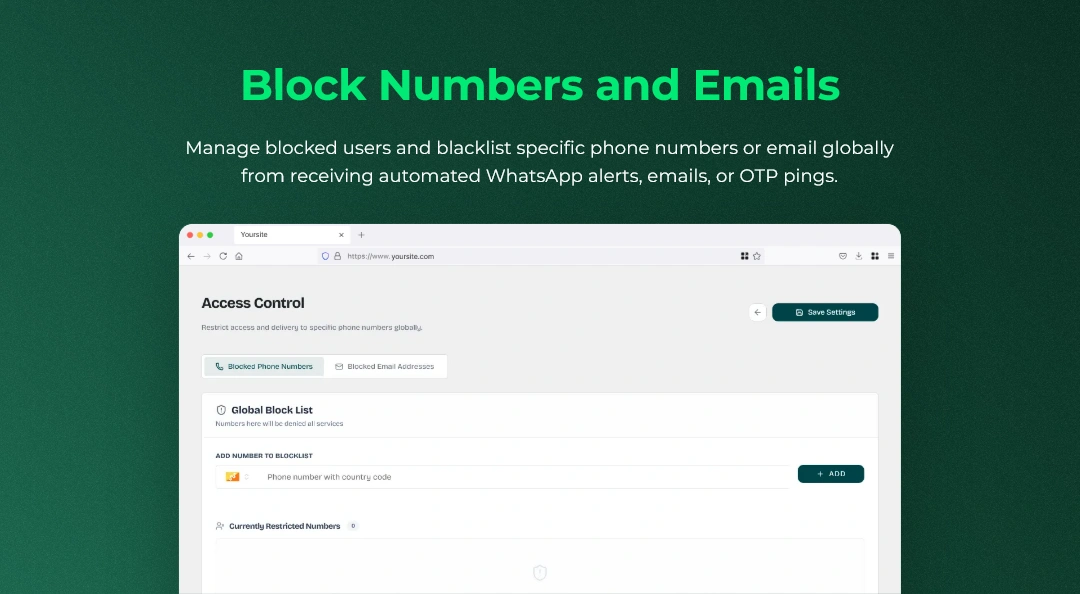
- Learn how to blacklist phone numbers and emails in our detailed guide: How to Configure Block Manager
2. Unique Message IDs (Anti-Ban Engine)
- Purpose: Prevent WhatsApp number bans when sending automated messages or bulk promotional campaigns.
- How it Works: WhatsApp's automated spam algorithms flag accounts that dispatch identical templates in rapid succession. Activating this tool automatically appends a randomized, unique alphanumeric token to the footer of each outgoing text payload, ensuring structural uniqueness for every contact.
- Read more about configuring anti-ban protection: How to Configure Unique Message IDs
3. Activity Hub (Unified Event Logs)
- Purpose: Real-time logging of all automated interactions, user logins, registrations, and communication delivery metrics in one single audit ledger.
- How it Works: Tracks detailed timelines for every customer, displaying site movements alongside enqueued SMTP emails, SMS verifications, and WhatsApp dispatches. It supports direct manual resends, quick user messages, and detailed trace audits.
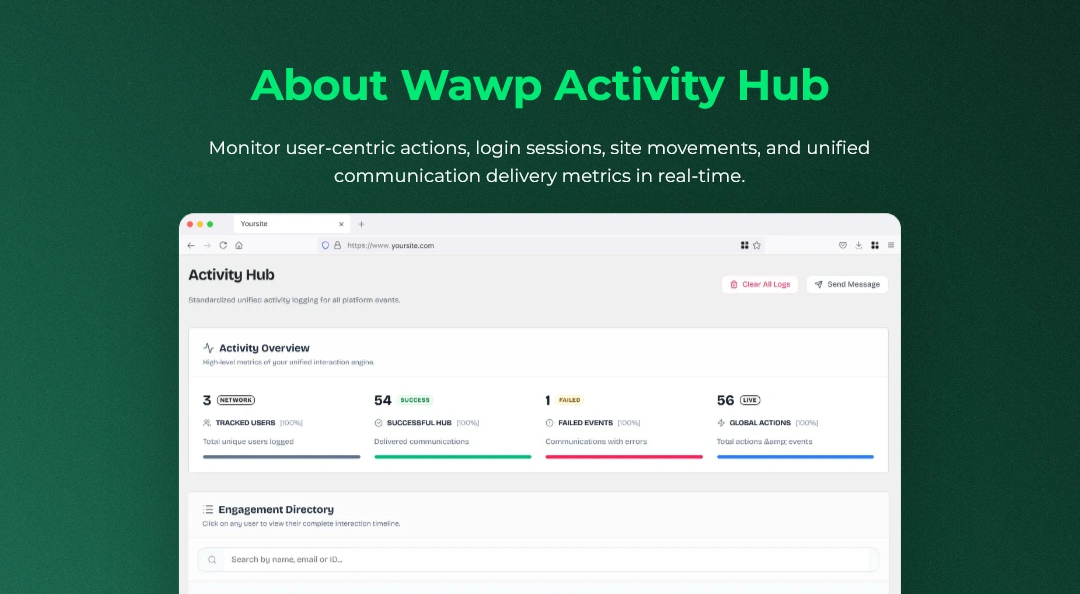
- Read our detailed guide to set up activity logs: About Wawp Activity Hub
4. Email Templates (Drag-and-Drop Builder)
- Purpose: Create professional, high-converting email notifications.
- How it Works: Provides a premium, fluid drag-and-drop template editor inside WordPress, allowing you to design beautiful transactional emails, invoices, and cart recovery templates without writing code.
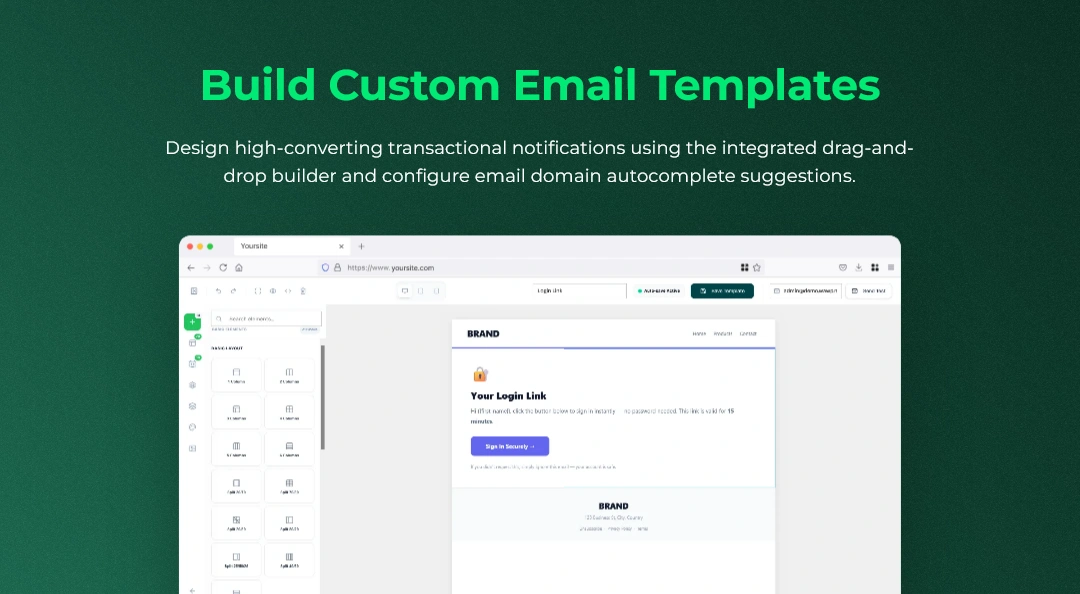
- Learn how to build custom email layouts: How to Build Custom Email Templates
Activating and Managing Tools
Every tool can be toggled on or off programmatically from your central Senders dashboard:
- Navigate to Wawp > Senders and click the Messaging Tools tab.
- Review each card's overview description and status badge (ACTIVE or INACTIVE).
- Toggle the switch slider to enable or hibernate the feature as needed.
- Click Settings on any active card to jump directly to its configuration panel, or click the box-arrow icon to open its dashboard view.
Performance Optimization Disabling any utility from the dashboard prevents its scripts, database queries, and backend background tasks from running, ensuring maximum WordPress page loading speed.
Make sure to save any custom settings within individual tool configuration sheets before leaving the dashboard.
Did this page help you?
100% found this article helpful (0 likes)
Related Articles
How to Block WhatsApp Numbers and Emails
Manage blocked users and blacklist specific phone numbers or email addresses globally from receiving automated WhatsApp alerts, emails, or OTP pings.
About Wawp Activity Hub
Monitor user-centric actions, login sessions, site movements, and unified communication delivery metrics in real-time.
How to Configure Unique Message IDs
Prevent WhatsApp bans by appending randomized, unique message identifiers to bypass automated spam filter checks.
- Need help? Contact Support.
- Check out our Changelog.
- Join our Facebook Community.
- LLM? Read llms.txt.
OFFER ENDS SOON
Extra 30% OFF All Plans
Use this exclusive promo code at checkout to enjoy an extra 30% discount on top of current sales!
BOOST30