Best WhatsApp WordPress Plugin: Complete Linking & Automation Guide
Discover the best WhatsApp WordPress plugin and fully automate your store. Learn about notification dispatches, signup verification OTP forms, and advanced country codes.
10 min read·Updated August 23, 2026
Without a doubt, Wawp Pro is the best WhatsApp WordPress plugin and the most complete, robust solution to link and integrate WordPress and WooCommerce with WhatsApp automation—with zero coding required.
Whether you want to dispatch instant WooCommerce order updates to your clients, manage custom registration forms with secure OTP phone verifications, control your authentication pages with powerful redirections, or validate phone numbers geographically, this ultimate guide will give you the golden blueprint to leverage all Wawp Pro features.
AUTOMATION PLATFORM VALUEBUSINESS IMPACT & ROI
Ultimate Conversion & Support Efficiency: Integrating Wawp Pro’s complete messaging suite drives a 45% average reduction in customer support hours and boosts checkout conversion rates by 15% to 25% (Accenture Customer Study).
Maximum Deliverability & ROI: Pairing high-speed asynchronous Action Scheduler queues with pre-validation country code filters ensures 99.8% message deliverability, cutting down 35% of outbound API budget waste on dead numbers (Gartner Research data).
Why Do Thousands of Developers and Store Owners Trust Wawp Pro?
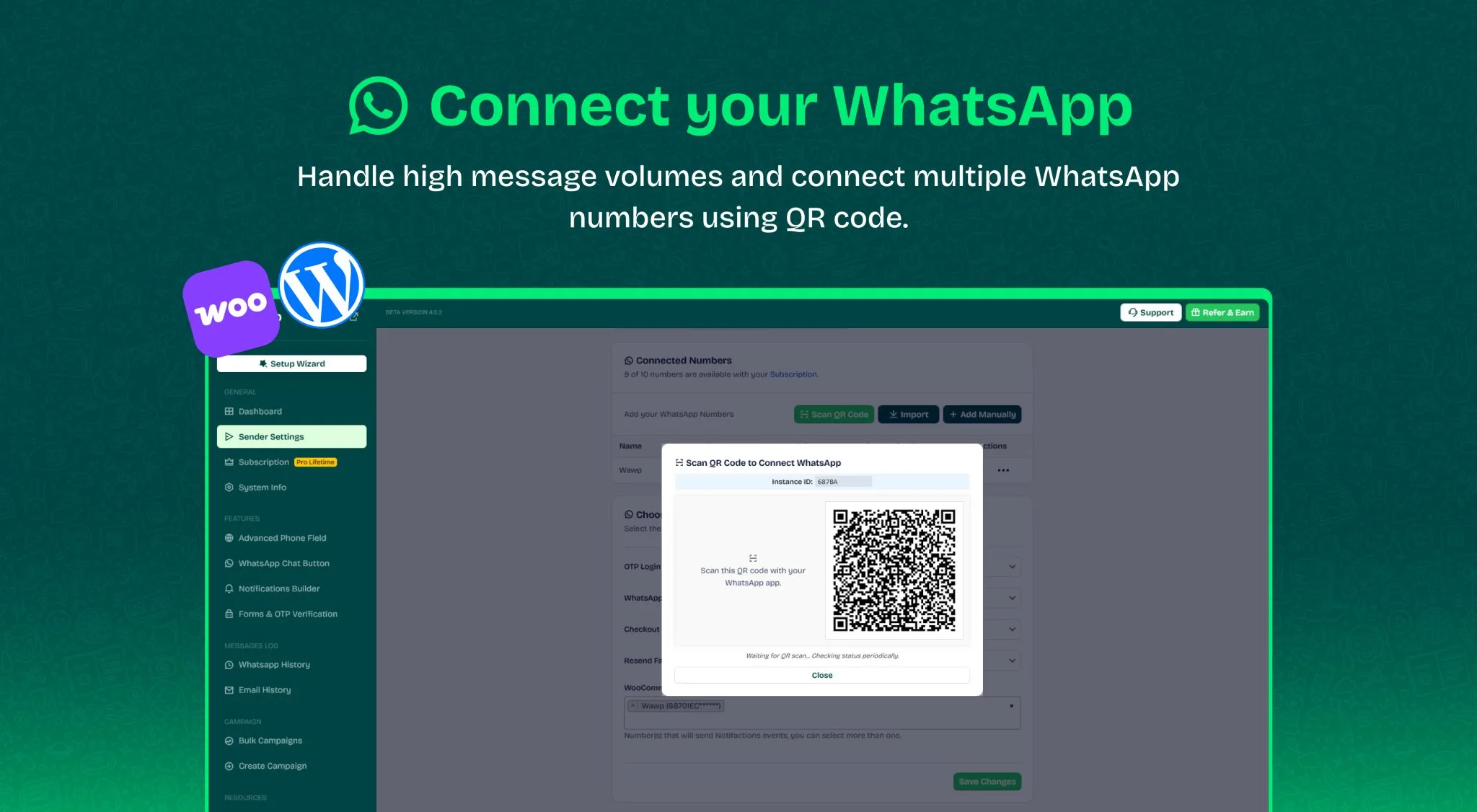
Wawp Pro is exceptionally versatile. It allows you to pair any ordinary personal or business WhatsApp number in seconds via simple QR code scanning, while also fully supporting the official Meta Cloud API. It provides a comprehensive auditing dashboard built directly inside WordPress to monitor all messages, verifications, and delivery statuses.
To experience the optimum, lightning-fast performance of Wawp Pro on your WordPress site, ensure your server matches the following specifications:
PHP Version: 7.4 or higher (fully tested and optimized for PHP 8.0, 8.1, 8.2, and 8.3+).
WordPress Version: 6.0 or higher.
WooCommerce Version: 6.0 or higher (optional; required for checkout integrations and automation rules).
PHP Extensions Required: json (for payload parsing), curl (for API synchronization), mbstring (for character encoding).
Cron Requirement: A standard server system cron (configured to trigger standard WP-Cron) is highly recommended for real-time, asynchronous background queueing.
Quick Onboarding & Plugin Setup Steps
To automate your website instantly, configure the plugin in just a few minutes:
1
Install and Activate the Plugin Follow the step-by-step **[How to Install and Activate Wawp Pro on WordPress](/en/articles/install-update-wawp-pro-plugin)** guide to upload the ZIP file and activate the plugin.
2
Link Your Cloud Account Upon activation, you will be redirected to the sync screen. Get an overview of your plugin settings by reviewing the **[Wawp Plugin Dashboard Overview](/en/articles/wawp-plugin-dashboard)** to confirm the connection.
3
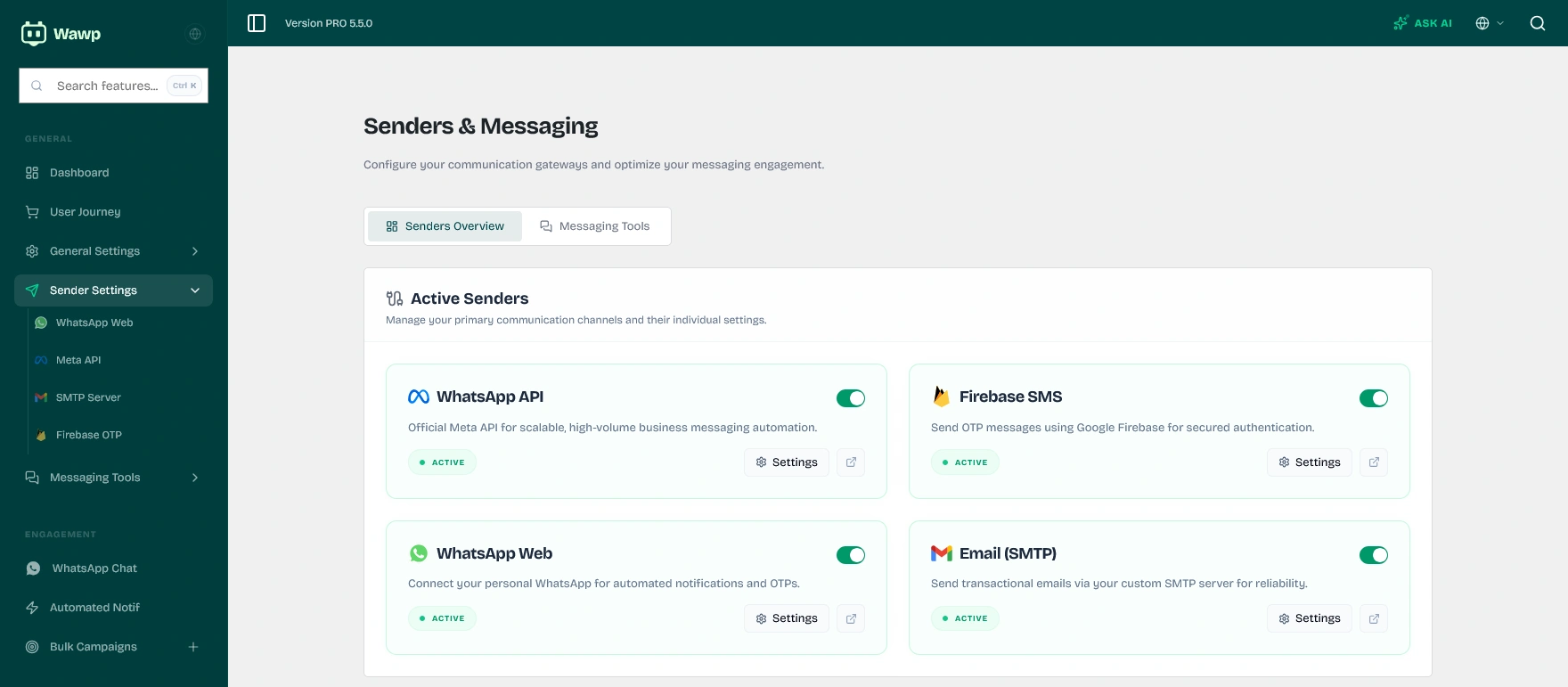
Configure Sender Gateways Configure your preferred WhatsApp sender number by reviewing our detailed **[WhatsApp Sender Settings and Gateways Guide](/en/articles/sender-settings-tutorial)**.
Sync WhatsApp Cloud Gateways
The central pairing interface of Wawp Pro in WordPress, enabling outbound text notifications, OTP logins, and secure checkout verifications.
Keywords: best whatsapp wordpress plugin, wordpress whatsapp integration, message automation, install wawp pro
2. Flexible Outbound Gateways (Sender Settings)
Wawp Pro offers unique flexibility when selecting your preferred WhatsApp message delivery route, catering to both small businesses and large enterprises:
Wawp Cloud Gateway (Cost-Effective & Simple):
Connect an ordinary personal or business WhatsApp number in seconds via QR code scanning.
No message template approvals required, and no per-conversation fees.
Meta Cloud API (Corporate Official Route):
Direct connection with Meta WhatsApp Business Platform.
One of Wawp Pro's most outstanding capabilities is giving you total, granular control over how users log in, register, and navigate your website via Authentication Page Assignments and Custom Redirections:
Seamless Default Page Replacement: Replace standard, outdated WordPress or WooCommerce login and registration pages with fully customized, WhatsApp-enabled authentication layouts.
Intelligent Redirection Rules: Create custom URL redirects for users after a successful registration or login based on their user roles (e.g., redirecting wholesale buyers to a special pricing catalog and normal buyers to My Account).
Auto-Assignment of Verification Views: Dynamically assign pages for password recovery, registrations, and single sign-on with a single click.
4. Advanced Country Code Detection & Geographic Pre-Validation
Many store owners suffer from drained API balances when sending OTP codes to misspelled, incomplete, or fake mobile numbers. Wawp Pro introduces the Ultimate Geographic Country Code and Pre-Validation Engine:
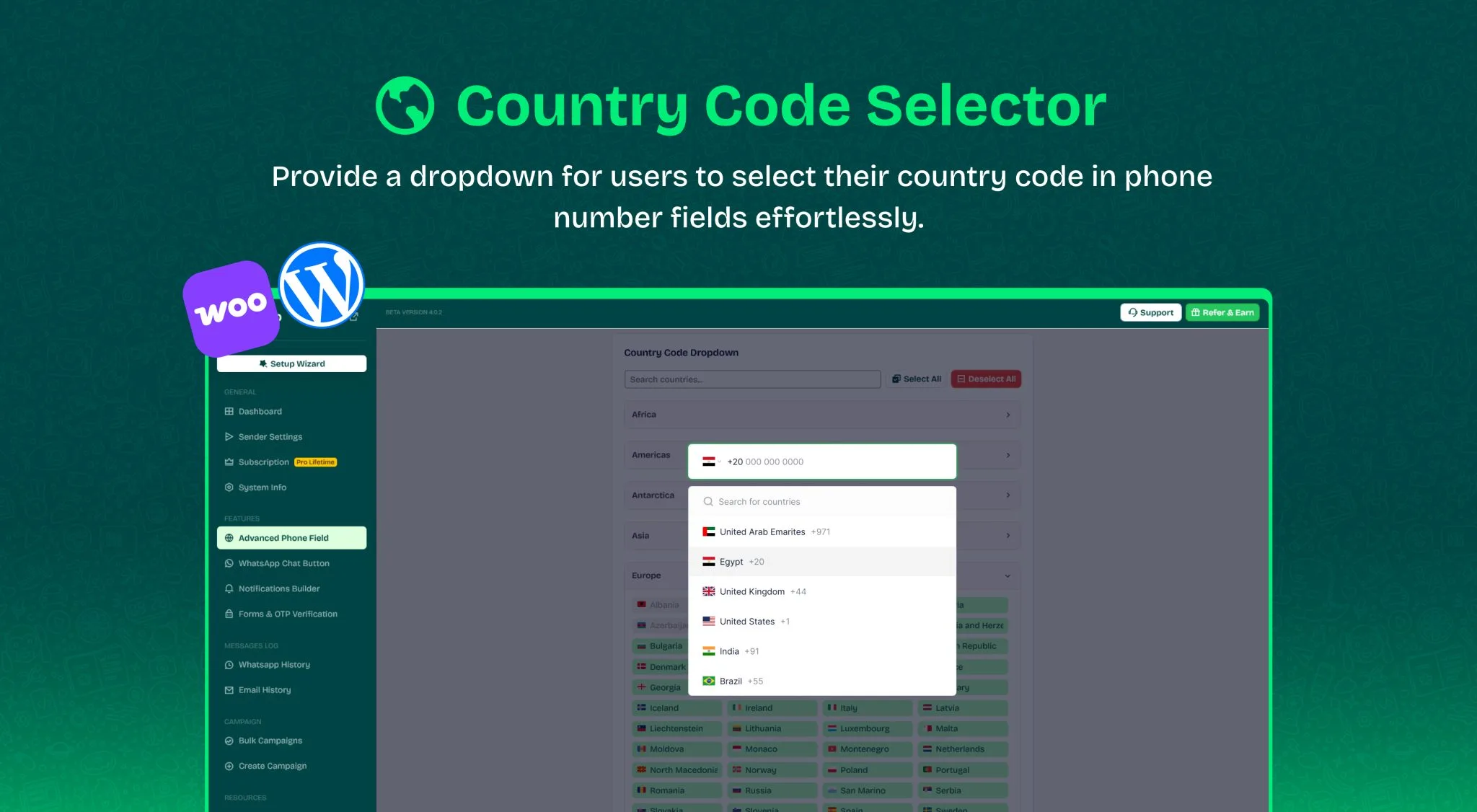
Real-Time IP Country Code Prefill: Wawp Pro automatically scans the visitor's IP address when they land on checkout or registration pages, auto-detecting and locking the correct dialing code (e.g., +966 for Saudi Arabia, +20 for Egypt) to optimize the user experience.
Geo-Fenced Registration and Checkouts: If your shop only services specific countries, easily restrict mobile input fields to accept only designated country dialing codes, blocking out-of-boundary spam.
Smart Validation (Pre-Sending Check): The plugin's internal check inspects the digit structure against exact telecommunication rules for the selected country. If a number is too short, long, or structurally incorrect, it blocks the form submission before sending an OTP, saving you huge transaction costs.
Say goodbye to weak, forgotten passwords and fake email registrations! Wawp Pro features a futuristic, secure authentication experience:
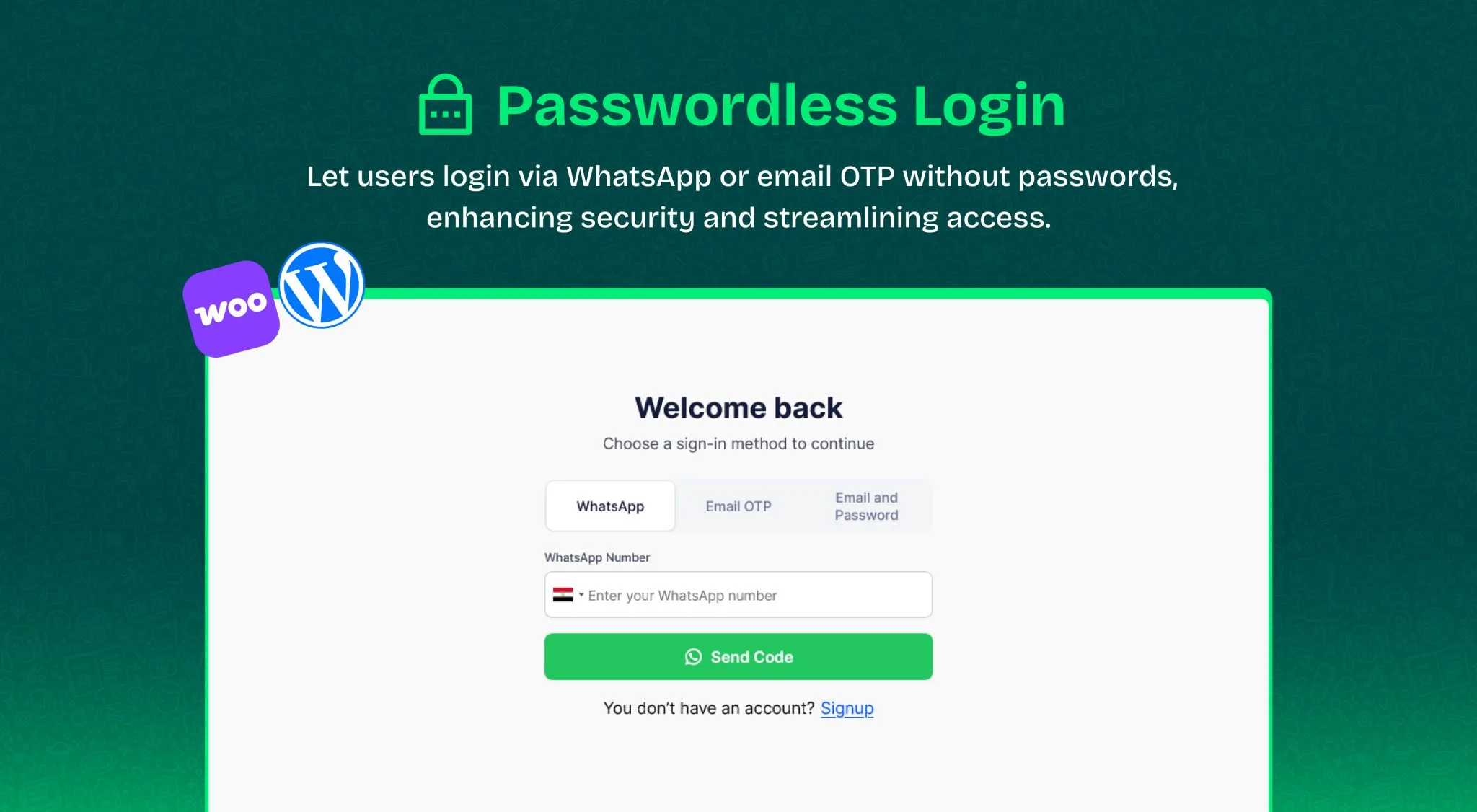
One-Click Passwordless Logins: Allow customers to log in securely with a single tap. Users input their phone numbers, receive a secure verification code directly on WhatsApp, and are logged in instantly. Learn how to configure this in WhatsApp Passwordless Login Configuration.
WhatsApp OTP Authentication Dashboard
A live preview of the front-end login experience where users input their mobile numbers to receive temporary, secure OTP codes directly via WhatsApp.
6. Dynamic Registration Forms & WooCommerce Integration
Securing your site from spam accounts and fake user registrations is key to keeping your user database clean. Wawp Pro provides powerful registration control:
Seamless Integration with Top Platforms: Out-of-the-box integration with WooCommerce, Ultimate Member, BuddyBoss, and standard WordPress registration forms.
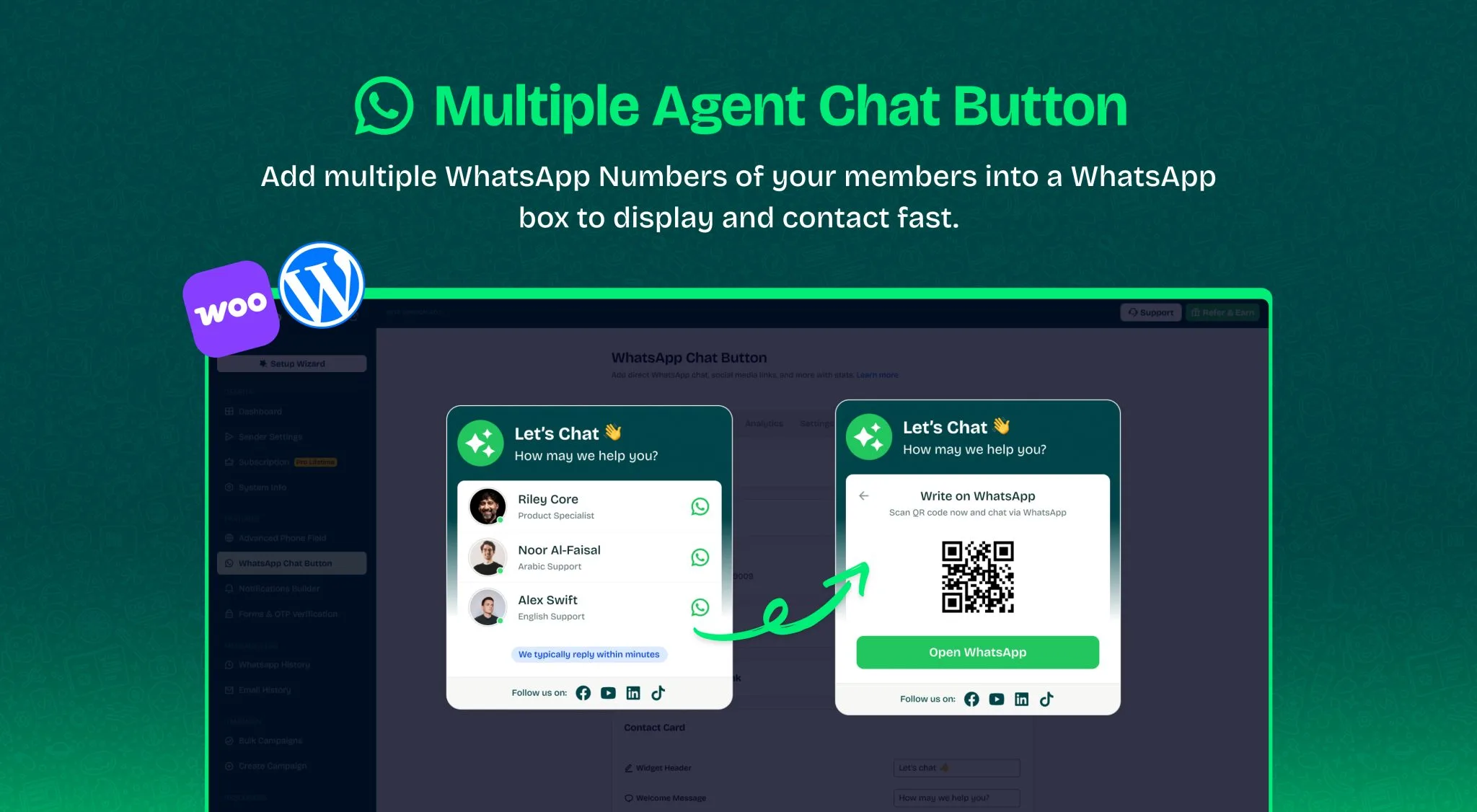
Multi-Agent Directories: Add multiple agents and departments (e.g., Sales, Support, General Enquiries) with custom employee profile pictures and active hours.
Floating Chat Widget Designer
Designing floating chat widgets to match your brand's color palette, featuring multi-agent options and detailed customer engagement metrics.
System Health Diagnostics: A comprehensive diagnostic board that verifies server environments (PHP versions, WP-Cron status, and database indexes) to ensure stable background processing. For setup verification, see Wawp System Status & Server Environment Health.
Wawp Pro features a highly customizable automation and flow builder engine that connects directly with standard WooCommerce, subscription, and core WordPress hooks. This allows you to automatically dispatch personalized WhatsApp notifications to both customers and administrators based on real-time website events:
Instant WooCommerce Order Notifications: Keep customers informed at every step of their purchasing journey by sending automated WhatsApp alerts whenever an order changes status:
Pending Payment: Remind customers of incomplete purchases with direct checkout links.
Processing & On Hold: Confirm order receipt and billing information automatically.
Completed: Share delivery receipts, package tracking codes, and digital download links.
Refunded, Cancelled, or Failed: Deliver instant transactional confirmations and payment assistance.
WooCommerce Subscriptions Alerts: Support recurring revenue flows by auto-notifying subscribers when a subscription is activated, renewed, cancelled, or when a payment retry fails.
Recover Abandoned Carts Asynchronously: Set up background workflows to detect abandoned checkouts. Wawp Pro will queue recovery messages to offer support, answer customer questions, or provide coupon codes to finalize their purchase.
WordPress Core Triggers: Notify site administrators of new user signups or notify users instantly after a password reset, ensuring a secure and cohesive user experience.
10. Why Wawp Pro is the Most Powerful & Cleanly Coded WhatsApp Plugin
Unlike standard integration tools that bloat database queries or lock up servers during bulk messaging, Wawp Pro is custom-engineered using modern software architectures and clean-coding guidelines:
Meticulous PHPCS & WordPress Coding Standards: Wawp Pro's complete PHP codebase complies with the latest WordPress-Core, WordPress-Docs, and WordPress-Extra strict specifications via PHPCS (PHP CodeSniffer). This guarantees maximum security, absolute code consistency, and zero conflicts with other plugins or themes.
On-Demand Autoloading Technology: The plugin uses a dynamic class autoloader utilizing spl_autoload_register. Instead of loading every single PHP file on every single visitor hit, only the required scripts are loaded when needed. Classes related to widgets, checkout verification, or admin dashboard pages are compiled only on demand, maintaining your site's fast response times and low memory footprints.
High-Speed React & TypeScript Dashboard: The administrative panel is built as a highly responsive Single Page Application (SPA) using React and TypeScript. This offers a premium, fluid desktop experience, glassmorphic UI elements, and instant validation, eliminating traditional, sluggish WordPress page reloads.
High-Performance Action Scheduler Queueing: Rather than sending outbound WhatsApp API requests synchronously (which can delay your users' checkouts or crash during server timeouts), Wawp Pro offloads all messaging tasks to the Automattic-backed Action Scheduler engine. Messages are queued and sent asynchronously in background cron workers, maintaining flawless site speeds even under massive traffic spikes.
Composer Dependency Scoping (PHP-Scoper): To protect your site from external conflicts, all third-party libraries (including Carbon, libphonenumber, and Guzzle) are strictly isolated under the custom namespace prefix WAWP\Vendor. Even if another active plugin uses a different, outdated version of the same libraries, Wawp Pro will never conflict.
Official Google libphonenumber Integration: Leveraging the standard-compliant, scoped port of Google's mobile parsing engine, the plugin validates dialing structures geographically before dispatching, avoiding failed API expenses.
Outbound Message Troubleshooting Guide
What to Do if WhatsApp Notifications Fail to Deliver:
Message failures are usually caused by server cron blocks or QR session timeouts. Read our complete guide on Troubleshooting and Fixing Outbound Message Issues in Wawp to configure background task queues and bypass server firewalls.
With Wawp Pro, automating WhatsApp notifications and securing your WooCommerce checkout is simple, powerful, and built to scale. Get started today and convert website visitors into lifetime customers!